> For the complete documentation index, see [llms.txt](https://docs.lucernahealth.com/guide/llms.txt). Markdown versions of documentation pages are available by appending `.md` to page URLs; this page is available as [Markdown](https://docs.lucernahealth.com/guide/insights-studio/population-builder/reference-guides/welcome-to-population-builder.md).
# Welcome to Population Builder
### What is a population?
A population is a list of members that match a set of rules you define. For example: "Active roster members" or "Members flagged as ER frequent flyers."
### What is Population Builder?
Population Builder is where you create and manage populations. You build the rules, and Population Builder gives you the list.
### What can you do here?
* Build new populations, explore data, check counts, and push populations to other parts of the platform
* Browse what's already been built and use it as a foundation for new populations
*Access to some features depends on your user permissions.*
***
### Finding Population Builder
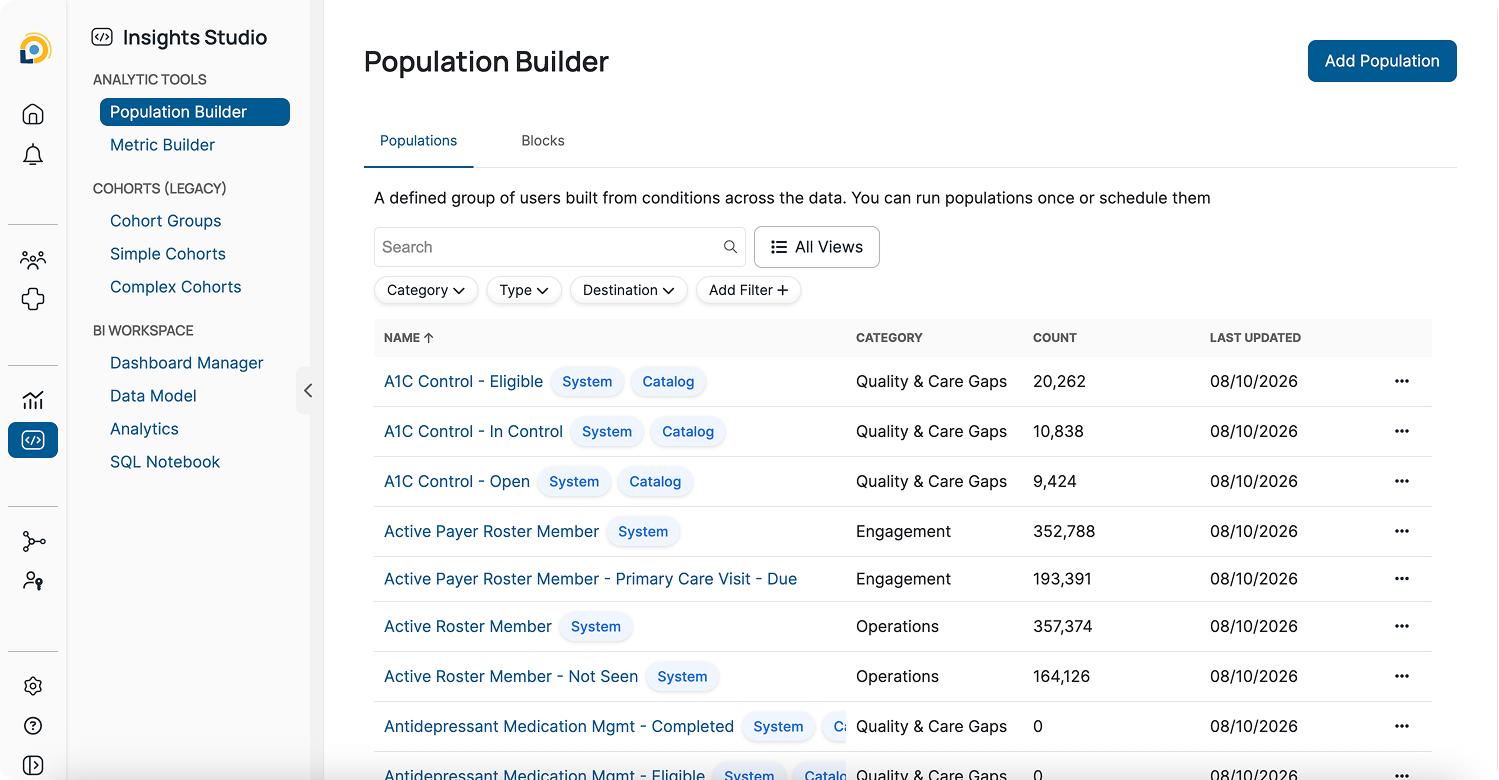
Population Builder lives under Insights Studio, in the Analytic Tools section of the left navigation.
***
### Populations and Blocks
A **population** is a defined group of members built from conditions across the data. It produces a member list and a count, can run on demand or on a schedule, and can be sent to destinations elsewhere in Leap.
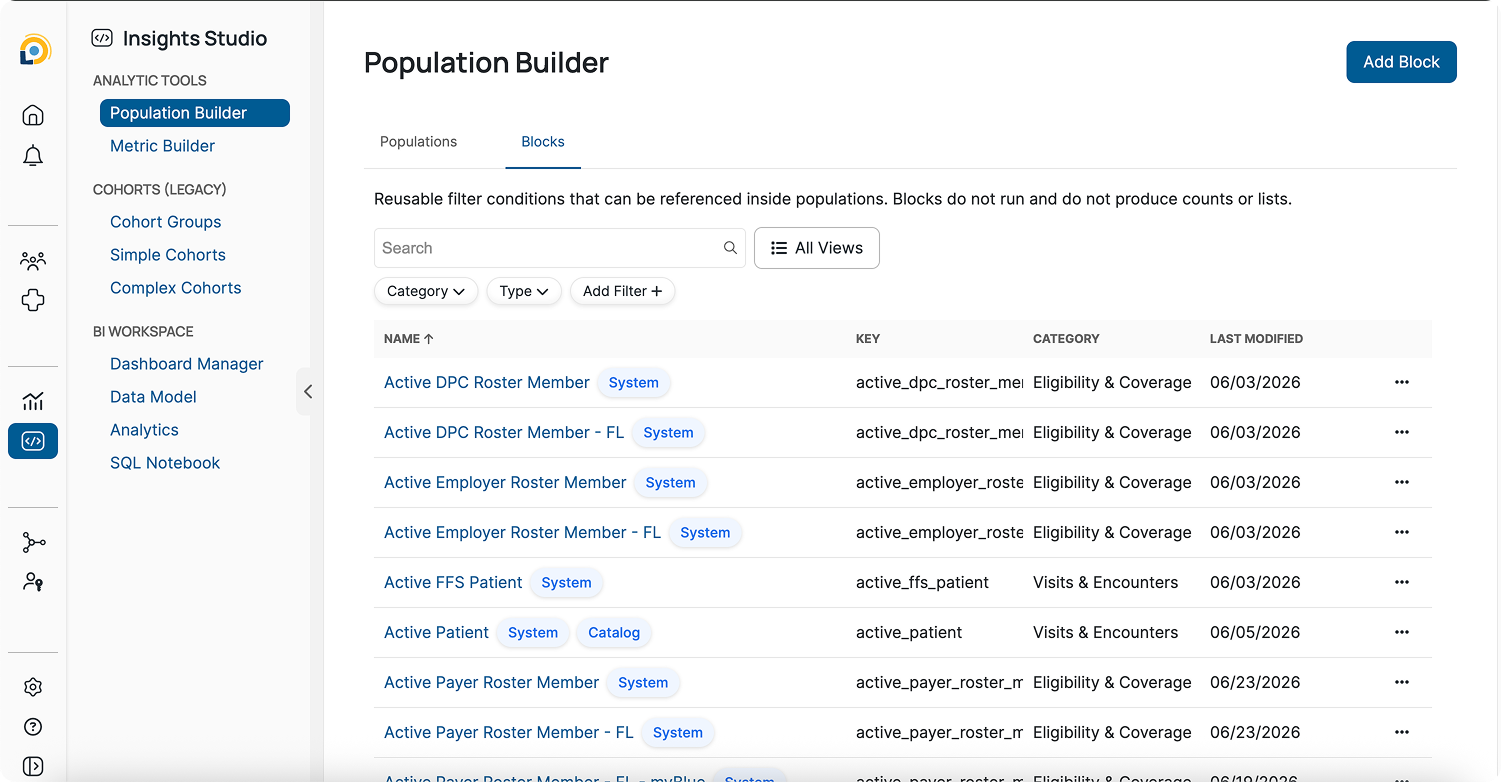
A **block** is a reusable set of filter conditions that can be referenced inside populations and other blocks. Blocks do not run on their own and produce no counts or lists. They take effect only as part of whatever references them.
The distinction matters when deciding where to put logic. Something like "active roster member" appears in dozens of populations, so it belongs in a block where it can be defined once and reused. Something like "diabetic members with an open eye exam" is a complete list you would act on directly, so it belongs in a population.
***
### Reading the table
Each row shows the population or block name, along with its Category, Count, and Last Updated date.
You can click on any column heading to sort the table.
***
### Searching and Filtering
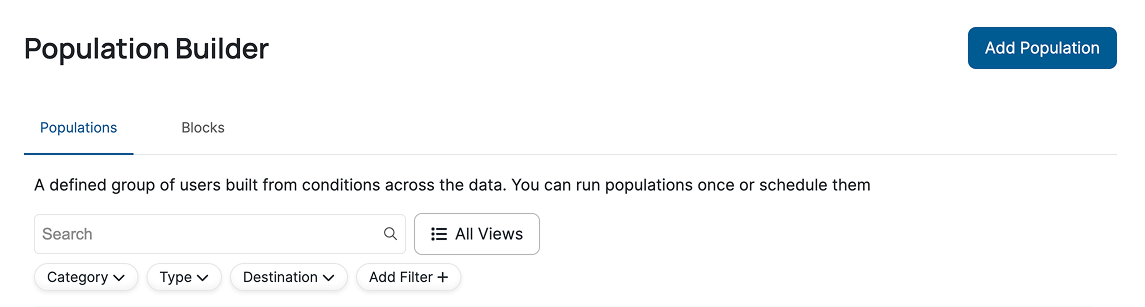
To search for a population, start by typing its name in the search bar. Or use filters to narrow down the list.
Filters are available for Category, Type, and Destination, with more available under "Add Filter."
Categories include Engagement, Growth, Medical Cost Management, Operations, Quality & Care Gaps, and Risk Adjustment. Categories available for populations and blocks can differ.
***
### Saved views
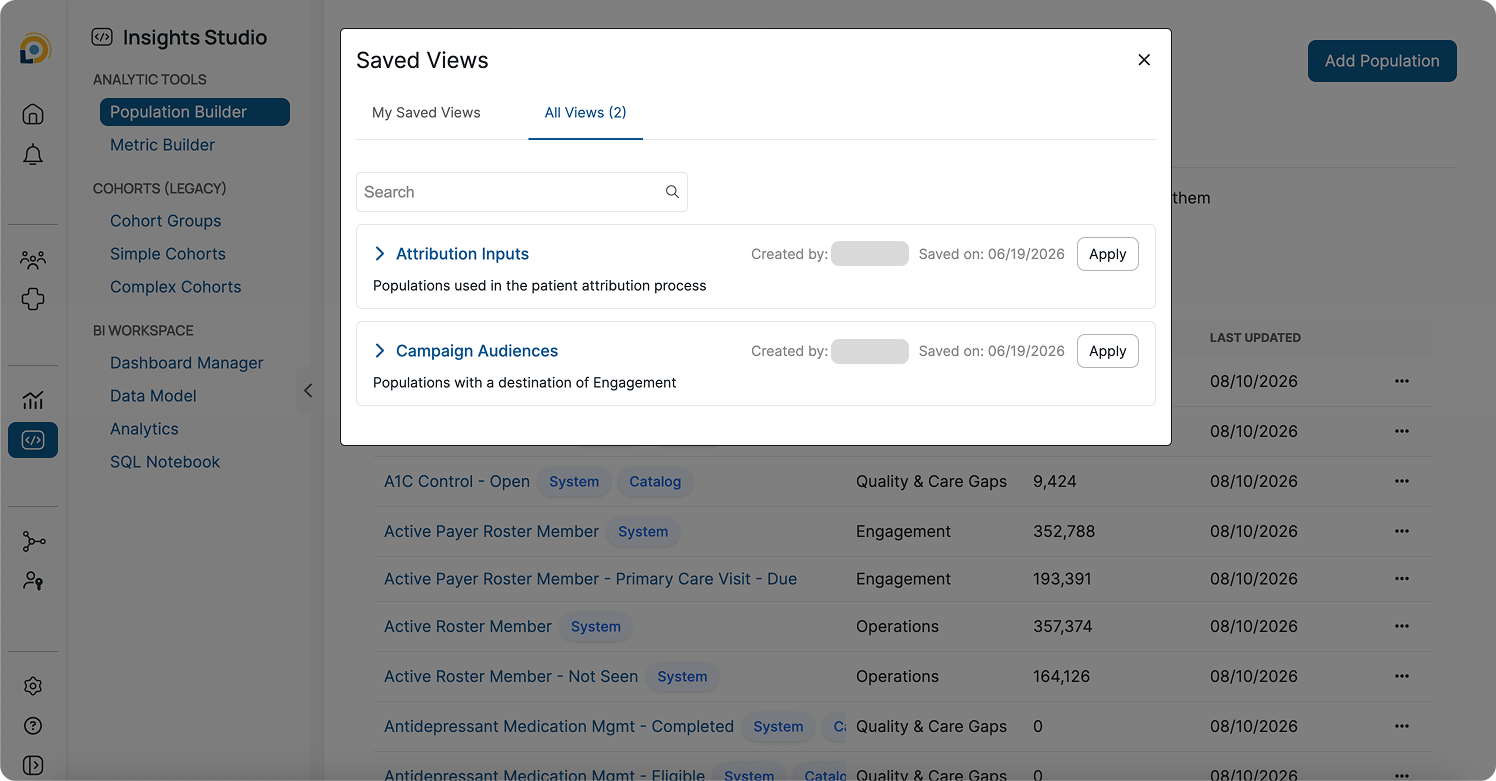
Filters can be saved for quick, repeated access. Click "All Views" to find them, then click "Apply."
**To save a filter view:**
1. Apply your filters and click "Save View."
2. Fill in the details and click Save. By default, views are saved as public — toggle off Public to keep a view private.
***
### Tags
Some populations and blocks carry tags next to their name.
Tag
What it means
System
Created and managed by the Lucerna team. You can view the full definition, logic, and count, but not edit it.
Catalog
A core definition that ships with Population Builder and is pushed out to all clients, ready to use.
**Note:** System-managed content is locked deliberately. Shared definitions stay consistent for everyone using them.
***
### Quick Reference
| Task | Where | Guide |
| ---------------------------------- | -------------------------------- | -------------------------- |
| Understand an existing population | Population → six tabs | Exploring populations |
| Build reusable logic | Blocks tab → Add Block | How to build blocks |
| Build a member list | Populations tab → Add Population | How to build populations |
| Send a population somewhere | Population → Destinations tab | Using populations |
| Enable and configure a destination | Population → Destinations tab | How to enable destinations |
| Look up a term | — | Glossary of key terms |
***
### Key tips
* Search before you build, the logic you need may already exist
* Use blocks for anything you'll reuse
* Check the Category and tags before assuming what a population contains
* System-managed content can be referenced, but not edited